Lieflat Charts
介绍
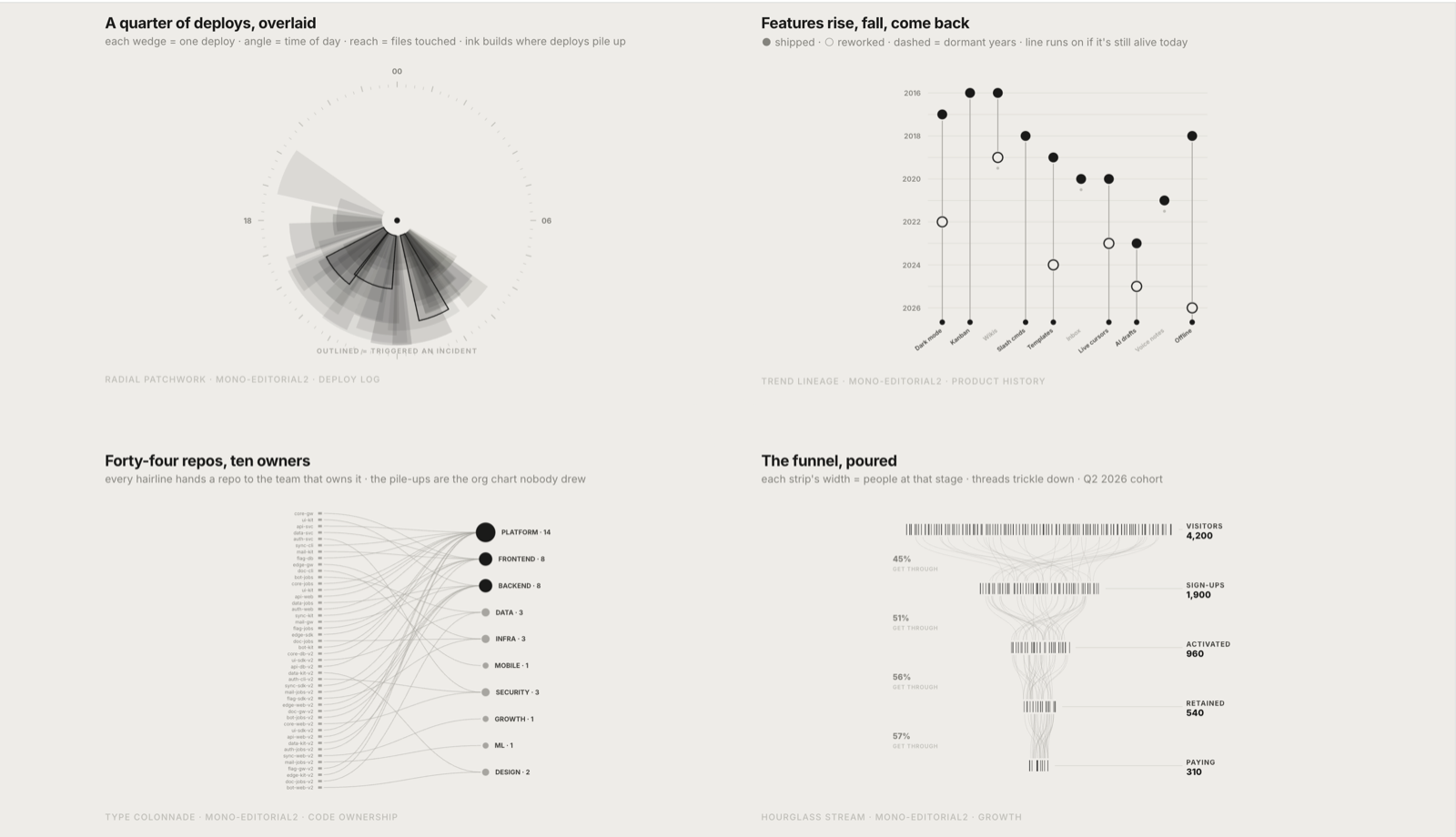
面向 AI Agent 的数据可视化 Skill,可将数据快速生成精致、可交互的 HTML 图表。支持多种图表类型,适用于 Claude Code、Codex 等 AI 编码助手,帮助快速制作报告与数据展示页面。
Install
One command:
npx skills add https://github.com/larashero3-dotcom/lieflat-charts --skill lieflat-chartsOr send this to any AI agent with shell access:
Help me install lieflat-charts. Clone https://github.com/larashero3-dotcom/lieflat-charts
into ~/.claude/skills/lieflat-charts, then verify SKILL.md, templates/, catalog.md
and mono-tokens.js exist.
For Codex, use ~/.codex/skills/lieflat-charts as the install path. Already installed? Run git pull inside the skill directory to update.
Usage
Just ask the agent, for example:
"Turn this survey data into 5 Chinese charts for a long-form article"
"Make this CSV a Glance chart I can drop into a weekly report"
"Redesign this dataset in Lupi style, keep every real record"
"Re-color this chart with the Porcelain preset, keep the structure"
The agent picks between Lupi Editorial, Lupi Basics, Glance and the color presets (Porcelain / Palm / Wire) based on the data contract. For the most complete workspace experience, use it in Moxt.
安装(中文)
一条命令:npx skills add https://github.com/larashero3-dotcom/lieflat-charts --skill lieflat-charts;Codex 路径换成 ~/.codex/skills/lieflat-charts。已装过就进目录 git pull 更新。安装后直接说需求,例如「把这份调研数据做成 5 张中文版图表」「把这个 CSV 做成 Glance 图表」「用青瓷蓝预设重做这张图」。推荐在 Moxt 中使用,体验最完整。
常见问题
- Lieflat Charts 生成什么格式的图表?
- 生成精致、可交互的 HTML 图表,支持多种图表类型。
- 适用于哪些 AI 编码助手?
- 适用于 Claude Code、Codex 等 AI 编码助手。
- 典型用途是什么?
- 帮助快速制作报告与数据展示页面。
评分与评论
来自真实使用者的公开反馈。
还没有公开评论。